



Logitech MX Keys Mini for Mac Minimalist Wireless Illuminated Keyboard with Free Adobe Subscription, Compact, Bluetooth, Backlit Keys, USB-C,…
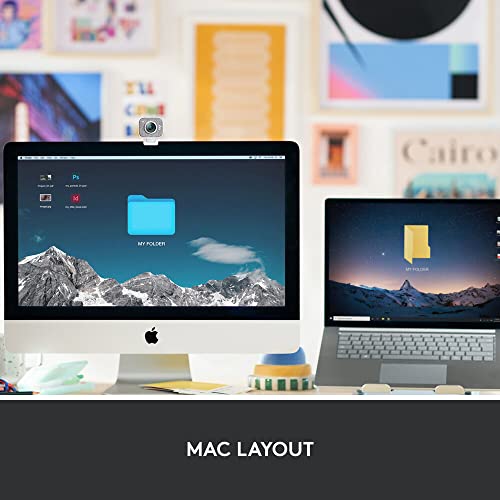
- Mastered for Mac: MX Keys Mini for Mac is optimized for macOS, iPadOS(2), and iOS(2) and features a keyboard with a layout for Mac for maximum productivity
- Designed for Mac: Compatible with Apple MacBook Pro, MacBook Air, iMac & iPad models
Original price was: ₹15,395.00.₹9,995.00Current price is: ₹9,995.00.
Best deal at:  Amazon.in
Buy for best price  Amazon.in
Last Amazon price update was: July 22, 2025 4:07 pm
×
Product prices and availability are accurate as of the date/time indicated and are subject to change. Any price and availability information displayed on Amazon.com (Amazon.in, Amazon.co.uk, Amazon.de, etc) at the time of purchase will apply to the purchase of this product.
Logitech MX Keys Mini for Mac Minimalist Wireless Illuminated Keyboard with Free Adobe Subscription, Compact, Bluetooth, Backlit Keys, USB-C,…
Original price was: ₹15,395.00.₹9,995.00Current price is: ₹9,995.00.
Description
- Mastered for Mac: MX Keys Mini for Mac is optimized for macOS, iPadOS(2), and iOS(2) and features a keyboard with a layout for Mac for maximum productivity
- Designed for Mac: Compatible with Apple MacBook Pro, MacBook Air, iMac & iPad models
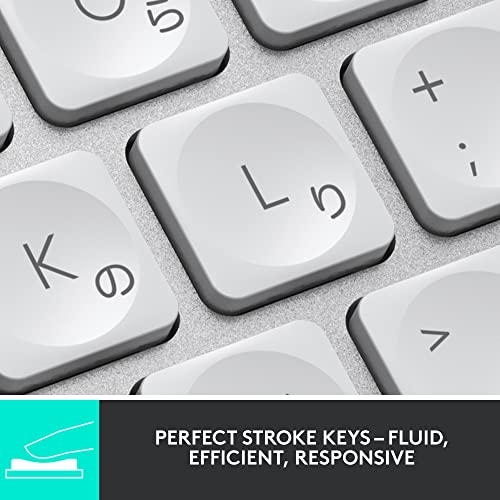
- Perfect Stroke Typing with Smart Keys (1): Type on keys shaped for your fingertips, with voice to text Dictation (4), Mic Mute/Unmute, and Emoji keys
- Mini Size, Mighty Powerful: A layout designed for effortless precision, with a minimalist form for an ergonomic keyboard that’s portable and can travel wherever you get work done
- Smart Illumination: The wireless keyboard’s backlit keys light up the moment your hands approach, and automatically adjust to suit changing lighting conditions
- Multi Mac Connectivity: Pair MX Keys Mini for Mac compact keyboard with multiple Mac computers and iPads via Bluetooth Low Energy and switch between them seamlessly
- USB-C Rechargeable: MX Keys Mini for Mac Bluetooth keyboard stays powered up to 10 days on a full charge or up to 5 months with the backlighting turned off(3)
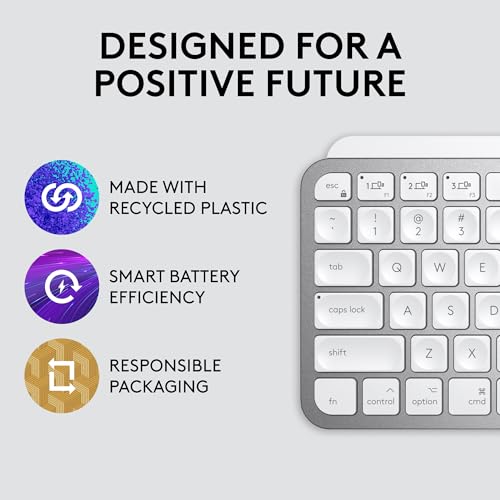
- Plastic parts in MX Keys Mini for Mac include certified post consumer recycled plastic (Pale Gray: 12%(5)). Certified carbon neutral.
,
Additional information
Specification: Logitech MX Keys Mini for Mac Minimalist Wireless Illuminated Keyboard with Free Adobe Subscription, Compact, Bluetooth, Backlit Keys, USB-C,…
|
Price History
-
Reviews (9)
9 reviews for Logitech MX Keys Mini for Mac Minimalist Wireless Illuminated Keyboard with Free Adobe Subscription, Compact, Bluetooth, Backlit Keys, USB-C,…
Show all
Most Helpful
Highest Rating
Lowest Rating






Naeem Cheekkappurath –
The Logitech MX Mechanical Mini for Mac is an exceptional keyboard that combines sleek design with outstanding functionality. The compact layout is perfect for those who need a space-saving keyboard without sacrificing key comfort or typing speed. The low-profile mechanical switches offer a satisfying tactile feel with just the right amount of responsiveness, making it a joy to type on, whether for work or casual use.
The keyboard’s build quality is top-notch, featuring an aluminum top plate that gives it a premium, durable feel. The white backlighting adds a modern touch and is easily adjustable based on lighting conditions or personal preference.
It pairs seamlessly with my MacBook Air, thanks to its Bluetooth connectivity and dedicated Mac keys. The long battery life (up to 15 days with backlighting on) is an added bonus, ensuring I don’t need to worry about frequent charging.
Overall, the Logitech MX Mechanical Mini for Mac is a fantastic keyboard that combines a minimalist design, solid performance, and premium feel—perfect for anyone looking to elevate their Mac setup. Highly recommended!
khaled –
جميلة جدا
Mark –
I really, really love this Amazing Keyboard and Mouse that I bought on Amazon!
My previous brand-name keyboard was pretty good, but sometimes it wouldn’t connect via Bluetooth, or at other times a keyboard switch may not operate (or perhaps I hadn’t hit it with quite enough force). At other times, my mouse would “hesitate” or not track as well as I thought it should/could even though I have a nice Mouse Mat.
So I upgraded to this matching Logitech MX mouse and keyboard (both of which I’d thought about for quite a while) and really wish I’d done it sooner.
The MX Mini Keyboard ALWAYS connects by Bluetooth immediately and its keys feel amazingly good to type upon. It is very solidly built, has terrific battery life and I think it looks great too. Similarly, the MX Anywhere 3S is the best-feeling, most accurate and instant-connecting Mouse that I have ever used, far better than any of my several other-brand mice.
Amazon’s online special was too good to resist and I highly recommend both of these items.
AnotherSpiderMan –
I can switch device connection by pressing one key.
The mechanic keys have very good key response although the bounce is bit soft.
The bottomline is the key layout is for MacOs and iOs
Clarence Domingo –
I had the keyboard k380 and was not sure on getting the mx keys mini but I am so happy I did as I love the tactile and travel of the keys. Cute pink colour and do enjoy the backlit feature of it. It is now my new fav keyboard and my k380 has been displaced.
Alper –
Charge lasts so long and the touch quality is high.
Harsh –
I am adding this review after exactly 6 months (when my keyboard started showing red LED blinks)
Amazing keyboard! I have done lot of research before I purchased this Keyboard, and I was of kind of not inclined towards mechanical keyboard (I know they are addictive once you use). Because of environments I may use is not welcoming to the sound 🙂
Pros:
1) Very thin – it’s almost like a MacBook keyboard
2) As you might already know, keys press’ are not wobbling; very steady, you can try pushing from any angle. I already forgot about Finger like curvature on keys after 1 month of usage.
3) Built quality is nice, never slips while you are typing, its heavy. Material feels like metal. I own grey one.
4) Ergonomic and usability – I don’t have to move my hands except for Del key, similar how I type on laptop. Even My Acer laptop have more space in between keys than MX. I keep backlight off during the day, I turn that ON at evening, when I am working late, I wish to use dim lights in room.
5) Battery: I purchased, charged, and started using on 27 Aug, today its 27th Feb when LED on keyboard started blinking red for charging- Backlight automatically turned off to save battery maybe. So, 6 months is battery life on single charge – when you use backlight ON and OFF for some days in evenings. I also occasionally turn keyboard OFF, For E.g., long weekends, vacation.
6) Shortcuts: I can easily switch between my 2 phones and laptop with Fn + shortcut keys. Useful shortcuts are – Switch device, Increase/decrease brightness, Smiley is good, Screen capture, Volume mute/Increase/decrease
7) I have MacBook and windows laptop I connect both to monitor, So I have purchased separate connector which I plug each time
Cons:
1) Power ON/OFF switch feels not so sturdy, it feels like after many attempts it will lose its tick sound. So, I keep it ON during weekdays.
2) No dedicated stand to increase inclination in case you want to increase inclination. But for me I am now adjusted to this angle.
Just go for it!
Shashwat Mishra –
Really good keyboard, and surprisingly sturdy build. Haven’t used this expensive Logitech products yet so I was a little bit sceptical, but I was surprised to see how heavy and well built it was. Obviously typing in it is very pleasing. The best thing is how easy it’s to switch between multiple devices and the amount of options for customisation Logitech provides.
The most surprising and unexpected part was that the keyboard is backlit and the lights turn off after a few seconds but it can sense that your finger are over it and the lights come back again.
It was frustrating changing keyboards every now and then but hopefully I think this is gonna stick.
Dhineshkumar –
I am really loving this product. It has lot of features. But from the pricing point, its overpriced. Initially I thought of going with apple magic keyboard when I look into the price. But there some important features which I am looking for is missing in apple which I found in this which is backlight since i mostly work in night. Let see about pros and cons.
Pros:
1. Good build quality
2. In my search i found this only keyboard fully compatible with both Mac and windows along with backlight option
3. Fully compatible with mac and windows
4. Easy switching between device with single click dedicated button in full sized keyboard. Actually, it works instantly when clicking the switch button. when i switch from windows to Mac M1, it wakes the up if it is in sleep or power saver mode.
5. Looks very similar to apple keyboard
6. Key placement is similar (but not fully) to laptop built-in keyboard and mac (But initially you will struggle when typing without seeing the keyboard since key travel time is not same as MacBook or laptop
7. almost all the media keys work without Logitech options+ software except screen brightness control function. In my opinion, if you are not planning for key customization, no need for Logitech options+ software just for the keyboard.
8. Button makes less noise compared the normal keyboard. button press is Almost giving the same feel of pressing premium laptop’s built-in keyboard.
Cons
1. it’s not the compact size. So, you will struggle reaching the mouse if you’re coming from the user of compact sized keyboard.
2. Logitech options plus software will not give more functionality with this keyboard (almost with any supported keyboard) like flow with this keyboard if you’re not using the compatible Logitech mouse like mx master series or mx anywhere. Almost software is useless apart from few buttons’ customization. If software’s full potential needs to be utilized, then. compatible mouse is required.
3. Logitech claims that with smart backlight on, battery will last up to 10 days. But I don’t think. Iam using this as a daily driver for past 4 days. Now its 50%. But it’s fine as i am enjoying the backlight functionality.
4. The letters printed on the keys are easy to view in normal lighting condition. But in below average lighting environment condition, letters are not clearly visible. In normal keyboards without backlight, its clearly visible in low light conditions. But with backlight on (even with Low back light brightness) its clearly visible
In my conclusion, if you’re looking for keyboard replacement or alternate to apple magic keyboard, you will miss the touch id option in some variant of magic keyboard. It’s your choice to decide which feature you really need either back light or work between multiple operating system environment or keyboard with touch id. If you’re okay for sacrifice touch id feature, this will be the good choice.