


GAMENOPHOBIA Wireless Gaming Controller Joystick Support for Android Phone Smart Box Smart TV & Smart Phone X3 Bluetooth Wireless Gamepad…
₹833.00
- Stably support for multiple devices like smart phone, pad, TV, TV box with Android 3.2 and above.
- BT wireless connection, may freely manipulated without delay within 10 meters.
- Download supportive games, mobile phone connected directly without ROOT, wtihout having to install drives, without having to set up the key mapping.
- Joyfully enjoy the massive games in the market and Support multiplayer mode.Fine dual analog joystick, precise cross key and 14 action buttons, ergonomic design, comfortable keys feel.
- Included – 1x controller,1x charging cable,1x mobile stand,1x bluetooth receiver,1x user manual
,
5 reviews for GAMENOPHOBIA Wireless Gaming Controller Joystick Support for Android Phone Smart Box Smart TV & Smart Phone X3 Bluetooth Wireless Gamepad…
Show all
Most Helpful
Highest Rating
Lowest Rating
Add a review
Related Products

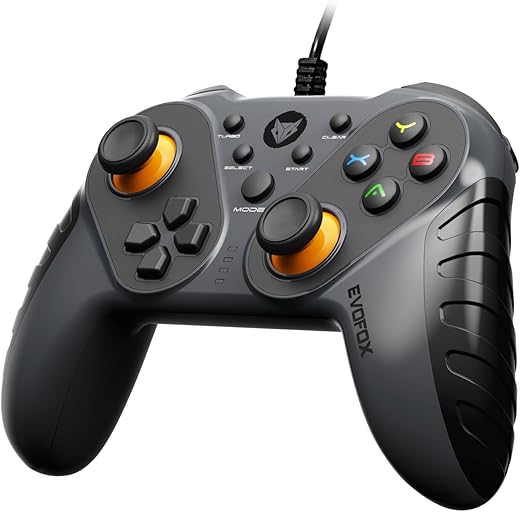


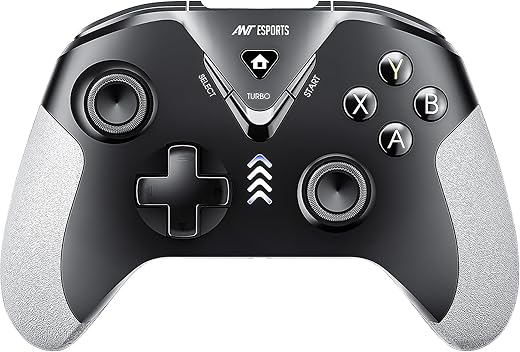
GAMENOPHOBIA Wireless Gaming Controller Joystick Support for Android Phone Smart Box Smart TV & Smart Phone X3 Bluetooth Wireless Gamepad…
₹833.00

Ritesh Kumar Sinha –
ITS WORST PRODUCT STOP WORKING IN JUST TWO DAYS
EVEN NOT ELIGIBLE FOR SINGLE STAR
Krishna –
प्रोडक्ट हमें पसंद आया उनसे जुड़ने वाली हमारे पास सुविधा नहीं है इसी बात से हमारे काम का नहीं रहा
pranav –
Best controller for playing games like minecraft
Ritesh Kumar Sinha –
Surpassed my imagination. Better than some other in market like ANTesport. No more worries about lost dongle or receiver . It’s a BT device . Multiple connection mode . PC , Android, PS , xbox , and even through USB cable. And main thing I wanted the both 🕹️🕹️ joysticks to be side by side and not Criss-cross. Back also good battery . 10 hours game play per day, played for four days and though not exhausted . Leaving unused and even after 10-15 days it holds charge. And has auto off feature. Over all good experience.just for info for PC mode keep pressing RB and until led 124 starts blinking and search pair in PC . One paired later it auto connects .just press power(home)…
Best controller for playing games like minecraft –
Best and helpful game pad