



Elgato Game Capture Neo – USB Portable Capture Card 4K60 HDR Passthrough, 1080p60 Video Recording – For PS5/Xbox/Switch/iPhone – In OBS, Quicktime…
₹10,200.00
- Capture PlayStation, Xbox, Switch, laptops, PCs, iPad, and other devices
- Play 4K60 HDR games without image quality loss or lag
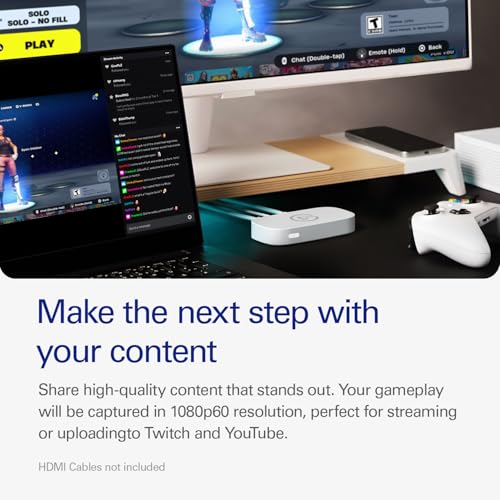
- Record or stream your skills in smooth Full HD 1080p60 quality
- Stream to platforms like YouTube, Twitch, TikTok, Facebook Gaming, etc
- Please Note: PlayStation 5 Black Screen is due to HDCP being turned on by default. Go to settings, system, HDMI and turn off HDCP to overcome this. Audio in headphones whilst capturing is not possible on Nintendo Switch or PS5.
,
12 reviews for Elgato Game Capture Neo – USB Portable Capture Card 4K60 HDR Passthrough, 1080p60 Video Recording – For PS5/Xbox/Switch/iPhone – In OBS, Quicktime…
Show all
Most Helpful
Highest Rating
Lowest Rating
Add a review
Related Products


Elgato Game Capture Neo – USB Portable Capture Card 4K60 HDR Passthrough, 1080p60 Video Recording – For PS5/Xbox/Switch/iPhone – In OBS, Quicktime…
₹10,200.00

Khushvinder Singh –
Go for it guys Really a quality product
Compatible with PS5 No quality lose on passthrough.
Your helper –
Ghatiya mera 11k pani me goya. Iske Karan mera kharsa bar goya kaam kusbhi nohi . Not supported all DOCKING STATION.
Pam –
Llegó en perfecto estado la capturadora dentro de su embalaje original, es de cartón reciclado, así como los materiales de la misma Capturadora. Solo viene con ella, su cable USB-C a USB-A 3.0; no incluye cable HDMI, por lo que debes tomar en cuenta, tener un par a la mano o comprarlos por separado, en caso de no contar con ellos. Por ese detalle, le doy 4 estrellas. Pero en cuanto a funcionalidad, fácil instalación y que es un dispositivo ligero y miy compacto, no tengo ninguna queja. Al realizar la labor de capturar la imagen en video, pude notar que prácticamente no tiene lag, tal cuál sucede en la pantalla o monitor de juego, lo mismo sucede dentro de la pantalla del OBS al capturar con el dispositivo. Nunca había tenido una Capturadora con esa precisión; yo tengo la Capturadora ElGato HD y ElGato HD60, y cualquiera de las dos, tiene lag aproximadamente de entre 4 y 5 seg.
Por lo que la recomiendo ampliamente, sobre todo si es la primera que piensas tener en tu poder, es una excelente opción y en color blanco, es perfecta. No necesitas invertir en una más costosa.
Es una excelente opción para el objetivo de capturar video en tu PC; además de contar con la habilidad de capturar dispositivos de Mac como el Ipad, si cuentas con él.
No te decepcionará en lo más mínimo.
Erky –
Came fast and works perfectly.
Khushvinder Singh –
bought this neo product 20 days ago and on second day it stopped working and got replacement and again stopped working today. showing no signal . even i can’t replace now . As it already 1 week . So in less then 3 weeks i got this product twice and both stopped working. worse product i ever seen in my life.
Susmita S. –
The media could not be loaded.
After knowing about Elgato and their products for the longest time, having purchased their Wave 3 Microphone and using some of their software for years, this was a no brainer purchase for me. It is their cheapest capture card yet and it does everything you need to record the same level of gameplay quality you watch on the internet all the time. A capture card like this essentially turns your HDMI video signal from a console or pc into an input that a computer recognizes like it is a USB webcam while passing the signal through to your TV or monitor. very simple.
Here is a TLDR of some points I think are useful about the capture card to save you some research if you haven’t done any already:
– It captures in 1080p, 60 FPS; industry standard for capturing gaming content. If you are looking to capture anything higher than that, this is not the card for you.
– It can pass through up to 120 FPS at 1080p, while it is limited to 60 FPS passthrough for 1440p, 4k and HDR at any of those resolutions. It can do 720p up to 120fps too, but if you’re the kind of person in the market for a capture card you should be avoiding 720p anything ever.
– It is plug and play compatible with PlayStation, Xbox, PC, Mac, and IOS devices (You will need a capture software such as OBS on your capture computer)
– It does not come with HDMI cables. You need (2) high quality HDMI cables capable of doing the resolution and framerate you plan to pass through/capture at. Do your research and be sure to buy cables that support 120 FPS if you plan on passing through that framerate or you will be disappointed.
– It comes with a USB type C to type A cable that is USB 3.0 for to send the capture video to your capture computer. You can use an equivalent or better cable and it will work the same. It will not work with a cheap phone charging cable.
– Elgato does not recommend using a dongle for input to your capture computer, it is not guaranteed to work. (for the record, I use a high quality USB 3.0 dongle as I capture my gaming PC to a Macbook Air M2 and it works fine. It was the second dongle I tried though and most just aren’t going to work.)
– Setup *can* be tricky depending on your setup if you aren’t the most tech savvy, but there are tons of people on the internet to help troubleshoot, and Elgato has great online and phone support. Console to PC setups should be the easiest to setup.
– Download Elgato Capture Device Utility on your capture computer and update the firmware or play with the Input EDID modes if your having image issues. “Display” was the mode that worked for me and my configuration.
– Ensure the device your capturing is not forcing more than 120 fps into the card or you will have issues. You can change this in your console or PC’s system settings.
– Audio comes through HDMI. If you have a different audio setup such as Wavelink or other Mixamps/XLR setups, you will have to research how to setup your audio. I use wavelink and it was very straightforward with a Youtube tutorial.
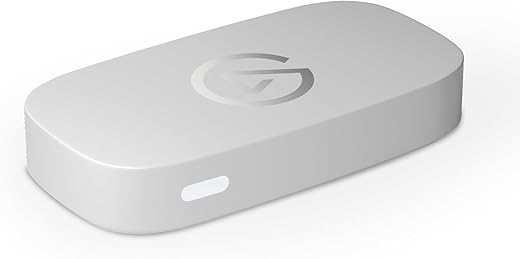
The card itself is is about the size of a rectangle donut, it fits in your hand and was smaller than I expected. It is made of matte plastic and has rubber feet. It literally has not moved or shifted from where I first placed it on my desk which is nice. Elgato comes from the same company as Corsair, so you can expect good build quality from them.
I use this capture card for 1080/60 capture with 1080/120 Passthrough and it functioned perfectly once I fixed my display settings in Windows. (I have a 165hz monitor and had to change it to 120 for it to work)
All in all, this is the new industry standard entry level capture card for streamers, content creators and other people who want to capture footage from one computer to another, and it gets along well with streaming software such as OBS and I recommend it to anyone whos here looking for their first capture card. You wont be disappointed. there is no reason to spend more money on an HD60 X and if you absolutely need higher resolution and framerate capture (you probably don’t), you should make the jump to the 4K X.
And for goodness sake, do not cheap out on HDMI cables. Trust me. Buy good HDMI cables.
10/10 Recommend.
Monikangkan –
high cost best quality
Thulasinathan Kandasamy –
This product was recommended by a colleague from our UK office, whose insights on gadgets and electronics I find valuable, as he is always eager to learn and explore. After trying it myself, I found it impressive, and it has since become an essential part of my work kit due to the nature of my role.
leonilde.loporchio –
Works good, did the job! Love it
Placeholder –
It came defected
Abdulla –
NOTE :- IT DOESN’T SUPPORT (AMD)RYZEN
ONLY INTEL PROCESSORS
Erky –
Che dire ottimo sotto tutti i punti ! Legato non si smentisce mai !!!! Non sono di super pretese ma funziona egregiamente su iMac collegato alla mia xbox serie X … e per me è perfetto come prodotto piccolo comodo e semplicissimo da rettare con OBS . Top