




UGREEN Video Capture Card HDMI to USB-C/USB 2.0 Full HD 4K 1080P Compatible with Switch PS5 Xbox TV Stick iPadOS MacBook
₹2,039.00
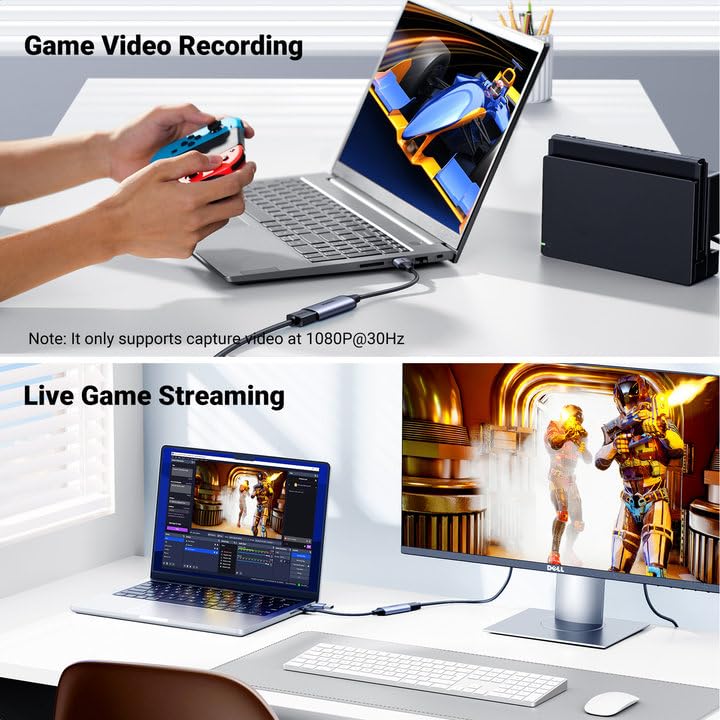
- 4K Full HD Video Capture Card: UGREEN HDMI Capture Card supports input max resolution up to 4K@60Hz, output max resolution up to 1080P@30Hz, and is based on the USB 2.0 high-speed transmission port. This product is connected to audio and video signal sources, such as cameras, and camcorders through the HDMI interface, and transmits it to a device with a USB or type C interface for the recording. Great for you to record videos & audio clearly at any time for storage to view in the future.
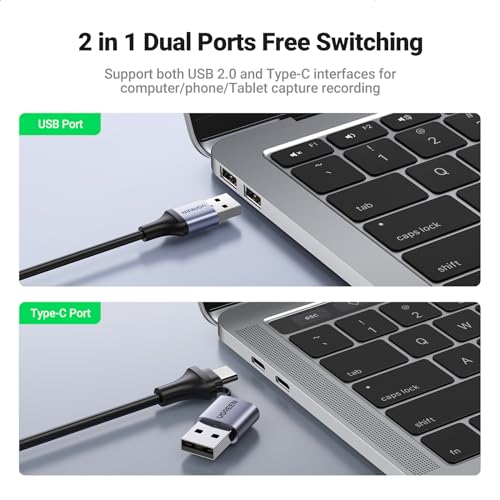
- Dual Interface Apply to both Phone and Computer: With USB-A & USB-C dual interface design, this capture card for streaming can compatible with most current laptops, tablets, mobile phones, cameras, webcams and other devices. No need to carry adapters with different interfaces, compact and portable.
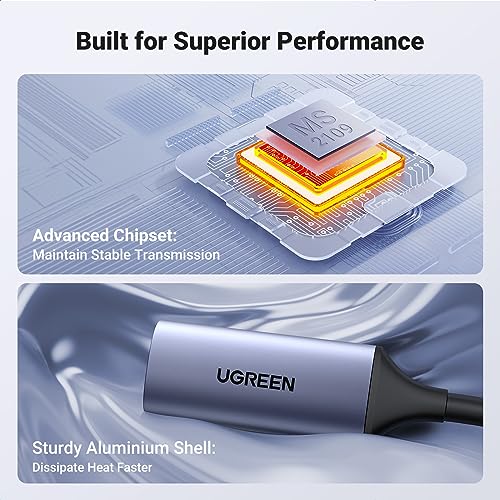
- Plug and Play, Driver-free: No driver required and no external power supply, just connect and start high-definition reproduction of videos. Aluminum-alloy shell, make sure a longer use life. This 4k capture card weighs only 19.9g, making it light and portable.
- HDMI Low Latency Screen Share: With Smart Chip, this HDMI video capture transmission rate is up to 480Mbps, low latency, and no caton. Real-time recording and collection of important meetings or courses for easy review. The latest design of the 4K capture card allows you to enjoy ultra-low latency during live gaming or video recording, avoiding freezing and blue screens.
- Wide Compatibility: This 4K HDMI capture card is compatible with Windows 8.1/10, Linux, and Android. The USB capture card is suitable for live streaming, recording, editing, and transferring video in high resolution on OBS, XSplit, Potplayer, QuickTime Player, USB Camera Viewer, and more. NOTE: It does not support the iOS 17.0 below. This product does not support capture and recording if the signal source is HDCP encryption protocol.
,
Specification: UGREEN Video Capture Card HDMI to USB-C/USB 2.0 Full HD 4K 1080P Compatible with Switch PS5 Xbox TV Stick iPadOS MacBook
|
5 reviews for UGREEN Video Capture Card HDMI to USB-C/USB 2.0 Full HD 4K 1080P Compatible with Switch PS5 Xbox TV Stick iPadOS MacBook
Show all
Most Helpful
Highest Rating
Lowest Rating
Add a review
Related Products


UGREEN Video Capture Card HDMI to USB-C/USB 2.0 Full HD 4K 1080P Compatible with Switch PS5 Xbox TV Stick iPadOS MacBook
₹2,039.00

Oscar –
Realmente no lo compre para capturar sino para poder conectar mi ipad a la consola y poder usarlo de monitor, funciona perfecto, solo conecte, abri una App que permite la función y listo, puedo jugar xbox o play o switch usando el ipad pro como monitor. Buena opcion para cuando necesitamos un monitor o TV extra y tenemos alguno de estos productos.
David –
Lo compré para usar el iPad como pantalla de una raspberry pi 4B y funciona perfectamente!
Pat D –
Useless if you want to record in stereo. The MacroSilicon chipset (ID 2109:534d) is known for a bug that transmits a stereo 48 kHz audiostream marked as a mono 96 kHz, causing confusion with recording software like OBS and Apple’s Quicktime. Do you want to record in Mono, then this device is neat. Otherwise: Buyer beware!
anónimo –
المنتج ممتاز بنقل الصورة بأعلى جودة جربتها على ربط الرسيفر بالكمبيوتر واستخدمتها على برنامج potplayer اشتغلت على جودة 1080 بسرعة نقل ممتازة وجودة عالية للصوت والصورة .. انصح به جيدا
Pat D –
In short, I love this thing and leave it plugged into my computer, with or without a cam on the end.
I use it, through OBS (under Linux no less), to record screencasts, with g00gle meet, even with the blasted zoom app. I set it for motion JPEG, 1920×1080 at 30fps for these things. My OBS setup would get confused about what is what when I played around with the 2 webcams etc But leaving this into the USB port all the time, and simply having the camera on or off works great–the OBS config is nice and stable, and when there’s no camera signal the capture dongle shoots out the classic colour bars, as shown in second image.
Trying to tweak contrast or brightness or anything like that in the OBS source interface is not a good idea–use your camera for that stuff and just feed in the signal you want: you have more control and it’s better anyway. About the lag…
All the USB capture cards I’ve used have some lag, that can be a pain to sync if you’ve got a distinct cam and mic. However, this capture card is on par or better in than the others I’ve used and I have found that the best solution is to hook up the mic to the big camera, and use the camera HDMI cable to bring in both image and sound.
If your cam doesn’t let you do that, you can still use OBS to add some delay to the audio and sync it manually, but I’ve found that tricky to get right, and that the lag isn’t always exactly the same, so if you can feed sound from the cam, do that.
So: I wish these things didn’t have such lag (sometimes it feels like a good half second) but I think this is a USB thing more than a capture card thing, and this specific item is now my (almost daily) workhorse for getting audiovideo into my computron.