



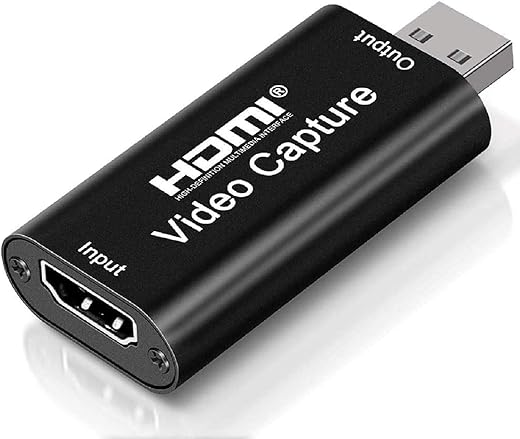
Video Capture Card, Game Capture Card with Microphone 4K HDMI Loop-Out 1080P 60FPS, USB 3.0 HDMI Video Capture Device
₹1,499.00
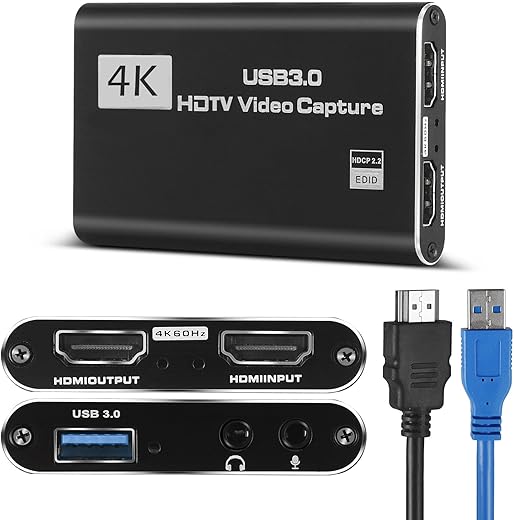
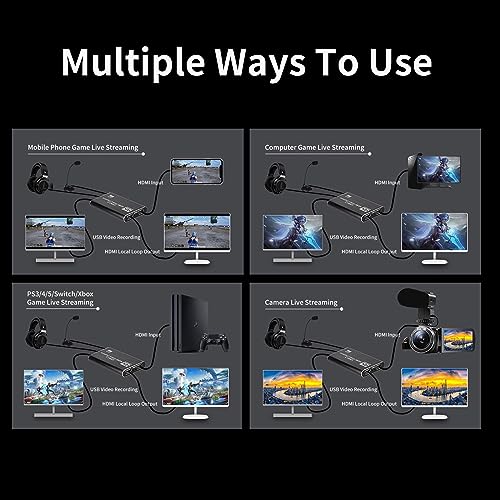
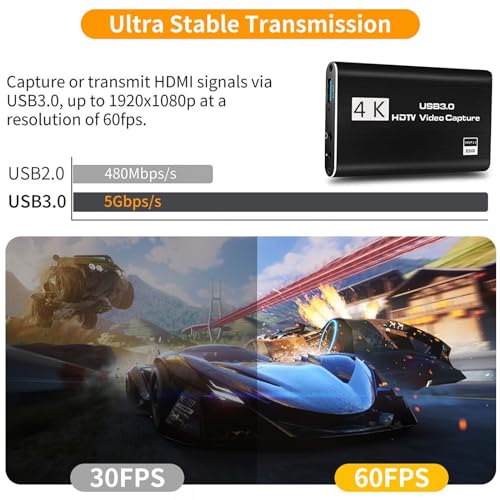
- [High Quality HDMI Input Game Capture Card]: Game video capture card is designed with high-end smart chip, stylish and compact by decent Aluminum Alloy shell. Supports up to 4K@30fps and 1080p@60fps HDMI input, plug and play let the device work instantly with stream media like OBS. Ideal for live streaming, gaming broadcast, video recording, conference rooms, etc
- [HD 1080P 60fps Signal Loop Out]: This HDMI capture card for Nintendo Switch has maximum HDMI output resolution up to 4K@30fps, and streams 1080p@60fps video signal through USB 3.0 port. It outputs a clean and clear excellent inage quality without frame lag. You can enjoy recording specific moments in video game adventures
- [3.5mm Microphone and Audio Input/Output Port]: Connect the audio video capture device with your earphone with 3.5.mm audio out port, you can also connect the video capture device with 3.5mm Microphone so that you can stream your voice and record your voice by the ports easily. you can also use it to add external commentary when playing a game
- [Wide Compatible with Multiple Systems]: 4K PC capture card is suitable for Windows 7/ 8/ 10, Mac OS X 10.9 or above, Linux and many other systems. Compatible with PS4, Nintendo Switch, Camera, Webcame, DSLR, be real-time streaming on Twitch/Youtube/OBS/Potplayer/VLC more easily with your gameplay
- [Plug & Play]: No driver or external power supply required, truely plug and play. Once plugged in, the device is identified automatically as a webcam. Detect input and adjust output automatically. Won’t occupy CPU, optional audio capture. No freeze with correct setting
,
Specification: Video Capture Card, Game Capture Card with Microphone 4K HDMI Loop-Out 1080P 60FPS, USB 3.0 HDMI Video Capture Device
|
5 reviews for Video Capture Card, Game Capture Card with Microphone 4K HDMI Loop-Out 1080P 60FPS, USB 3.0 HDMI Video Capture Device
Show all
Most Helpful
Highest Rating
Lowest Rating
Add a review
Related Products



Video Capture Card, Game Capture Card with Microphone 4K HDMI Loop-Out 1080P 60FPS, USB 3.0 HDMI Video Capture Device
₹1,499.00

Rob –
Great item works straight out of the box
Kristen Bolton –
I used this with my MacBook before I got my Pc, to stream to TikTok and Twitch. It can be a little confusing to set up, but it works great once you get it figured out. I don’t think it was a problem with the device so much as it was a problem with figuring out Streamlabs and how to connect it to Streamlabs. Nothing a little YouTube search can’t fix. It has a great quality sound and picture. It’s small and portable if you want to take it on the go. I connect it to my monitor and my laptop or pc. It’s a great device for the money.No need to install hardware. It connects automatically.
Dan F –
The media could not be loaded.
I had never used one of these capture cards before so I was a little worried when there was no software or computer installation instructions but as it turns out, they aren’t necessary.
I should clarify – this DID come with instructions but they only show how to physically connect which cable to each kind of device.
Regardless, the software side of things worked out fine.
On Windows, the necessary drivers were automatically installed and the device was recognized immediately.
In Windows Device Manager, it will show up as ‘USB3 Video’ in the ‘Camera’ category and as ‘Digital Audio Interface (USB3 Digital Audio)’ in the ‘Audio inputs and outputs’ category.
Setup process:
I plugged this into a Windows 11 computer via the provided USB 3.0 cable,
downloaded and installed OBS Studio (it’s a popular opensource (free) app that lets you record or stream whatever is plugged into the HDMI input on the capture card).
I opened OBS Studio and added the capture card as a video source (‘USB3 Video’) and as an audio source (‘Digital Audio Interface (USB3 Digital Audio)’).
Plugged in a game console, hit record, and that’s all it took!
I attached a video of me playing one of those all-in-one retro gaming consoles.
I did not record the audio but I can confirm that audio input worked in OBS Studio.
It was for another product review but this shows the video quality.
*Note that the video has been lightly edited (wherever you see blue captions).
Favour –
This product have very good quality audio, the price is amazing for what it offers, and there is not lag which allows me to do streams in obs perfectly without problem.
CR38TR –
Good entry level capture card.. Autio can be tricky to computer but it always works with passthrough connected device