


Crucial CT8G4SFS824A 8GB DDR4-2400 PC4-19200 CL-17 SODIMM RAM
₹1,340.00
- 8GB, SRx8 SODIMM, DDR4 SDRAM
- 2400 MT/S (PC4-19200),2,400 MHz,CL17 latency
- VOLTAGE 1.2V , PIN COUNT-260-pin
- Unbuffered SODIMM Laptop SDRAM,Compatible with systems that take DDR4 2400MT/s SODIMM memory, also with OEM systems and warranties
- Speeds up to 3200 MT/s and faster data rates are expected to be available as DDR4 technology matures
- Increase bandwidth by up to 30 percent
- Reduce Power consumption by up to 40 percent and extend battery life
- Faster burst access speeds for improved sequential data throughput
- Optimized for next Generation processors and platforms
- Crucial 10years limited warranty
,
Specification: Crucial CT8G4SFS824A 8GB DDR4-2400 PC4-19200 CL-17 SODIMM RAM
|
13 reviews for Crucial CT8G4SFS824A 8GB DDR4-2400 PC4-19200 CL-17 SODIMM RAM
Show all
Most Helpful
Highest Rating
Lowest Rating
Add a review
Related Products


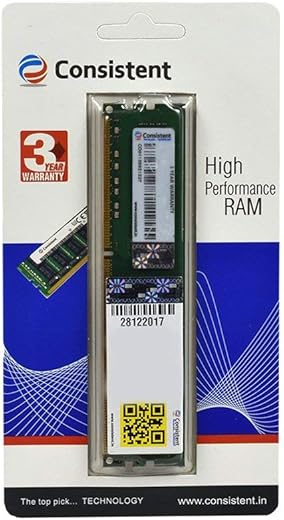
Crucial CT8G4SFS824A 8GB DDR4-2400 PC4-19200 CL-17 SODIMM RAM
₹1,340.00

RR –
富士通のノートPCの増設目的で購入しました
Aditya Kumar –
Excellent for my Dell Inspiron 15 Gaming (7567) which had an 8GB Samsung DDR4 2400 MHz CL-17 RAM. The installation was pretty easy. Only one screw to be opened in this laptop and didn’t even need a screwdriver. I opened it with a knife. Just installed and done. When I booted up, BIOS gave me an alert that memory amount had been changed. I clicked continue and it works like charm. Please YouTube for Dell Inspiron 7567 RAM replacement if you want to see the tutorial. In CPU-z, it shows Dual channel, as I wanted. There has been a drastic improvement in gaming performance. I used to get 40-45 fps in Battlefield 1 and now it’s 65-70. Although I play with vsync on, so I get constant 60 fps which is exactly what I wanted. All micro freezing, stuttering, frame drops gone. If you’re into gaming dual channel RAM of 16 GB is ideal because in 8GB, most of the ram is consumed by background apps like Chrome, etc. Just costed me ₹2,400. Worth every penny. Go for it without a second thought. Thanks to Amazon too for delivering it within 12 hours.
P.S : Don’t go for RAMs with higher speed like 2666MHz or with higher CL like CL-14, CL-15 or CL-16 as your BIOS automatically adjusts your RAM to the lower performing RAM. So, even a 3200 MHz RAM with CL-14 will be automatically adjusted to 2400 MHz CL-17. If you wish to upgrade to higher CL, you will have to change both the RAM sticks.
Mahmoud Fayed –
No issues. works well
Ashok reddy –
I have a Dell Inspiron 15 (7560). I thought to upgrade my RAM from 8 GB to 16 GB, but I never considered it until I heard about dual channel mode. Dual-channel configuration can provide a significant increase in memory bandwidth, which is the rate at which data can be transferred between the RAM and the processor. This can lead to faster system performance, particularly in tasks that rely on quick access to large amounts of data. I have upgraded my HDD to SSD, and now it’s time to upgrade my RAM. Now it’s like a new laptop. Coming to performance, it’s slightly improved.
My advice: Don’t waste your money on a new laptop if your old laptop is in good condition; just upgrade the RAM and SSD that’s all.
Samuel Henrique –
المنتج اللى بيوصل بيكون مختلف مش هو اللى فى الوصف خالص
Gurnaval Kumar –
Crucial ram 8gb 2400 is good working my lenovo ideapad s145.
Neel –
Funcionou perfeitamente com meu notebook Lenovo Ideapad 310 – 15isk, que já possuía uma memória ram de 4 gb soldada na placa-mãe com uma velocidade de 2133 MHz.
Sarthak –
Working properly, value for money. ✨
Sumit Kumar –
I am happy .
Aditya Kumar –
This is a Great hardware.
Anil –
Working fine in my HP Notebook 15-bs576tx. Upgraded the RAM from 8 GB to 16 GB.
R Verma –
Easy installation and works as advertised. Good price too. Recommended!
Ashok reddy –
I have an dell Inspiron 6th gen laptop, that support 2133mhz ,but when I collected the information,then I go for 2400mhz,and in low price and best quality no one But crucial always