
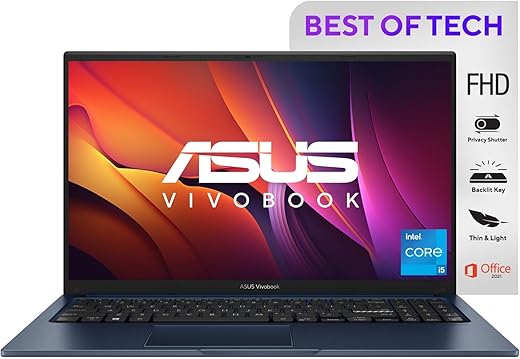


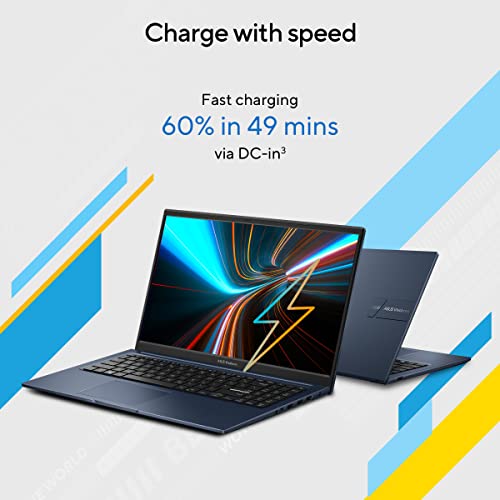
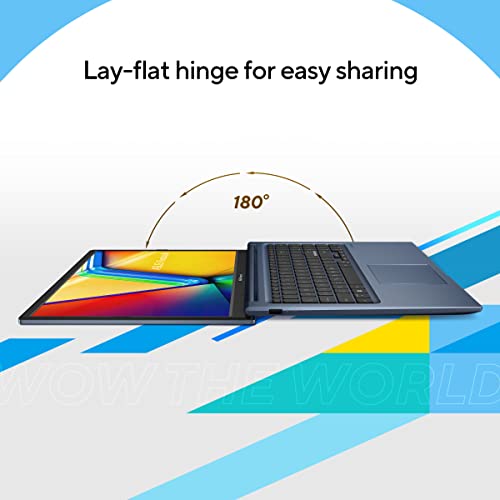
ASUS Vivobook 15, Intel Core i5-1235U, 12th Gen, 8GB RAM, 512GB SSD, FHD, 15.6″/39.62cm, Windows 11 Home, MS Office 2021, Quiet Blue, 1.7KG,…
₹42,990.00
- Processor: 12th Gen IntelCore i5-1235U, 1.3 GHz base speed, Up to 4.4 GHz Turbo Max Speed, 10MB Cache, 10 cores
- Memory: 8GB (4GB onboard + 4GB SO-DIMM) DDR4 3200MHz Upgradeable Up to 12GB with | Storage: 512GB M.2 NVMe PCIe 3.0 SSD Upgradeable Up to 1TB SSD
- Display: 15.6-inch (39.62 cms), FHD (1920 x 1080) 16:9 aspect ratio, LED Backlit, 220nits, 45% NTSC color gamut, Anti-glare display, TÜV Rheinland-certified, Screen-to-body ratio: 82 %
- Graphics: Integrated Intel Iris Xe Graphics
- Operating System: Pre-loaded Windows 11 Home with lifetime validity | Software Included: Pre-Installed Office Home and Student 2021 | 1-Year McAfee Anti-Virus
,
Specification: ASUS Vivobook 15, Intel Core i5-1235U, 12th Gen, 8GB RAM, 512GB SSD, FHD, 15.6″/39.62cm, Windows 11 Home, MS Office 2021, Quiet Blue, 1.7KG,…
|
8 reviews for ASUS Vivobook 15, Intel Core i5-1235U, 12th Gen, 8GB RAM, 512GB SSD, FHD, 15.6″/39.62cm, Windows 11 Home, MS Office 2021, Quiet Blue, 1.7KG,…
Show all
Most Helpful
Highest Rating
Lowest Rating
Add a review
Related Products
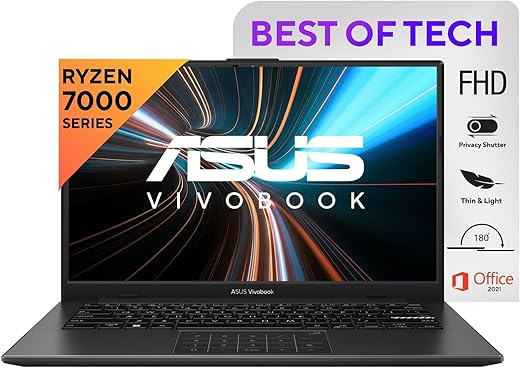



ASUS Vivobook 15, Intel Core i5-1235U, 12th Gen, 8GB RAM, 512GB SSD, FHD, 15.6″/39.62cm, Windows 11 Home, MS Office 2021, Quiet Blue, 1.7KG,…
₹42,990.00

Anon Muse –
I received it today from Amazon. This has so far really impressed me! The workflow is smooth. The screen is definitely 1080 and you can tell that as soon as you reach to Windows screen for the first time. I have used an HP laptop before with i3 5th gen processor and this laptop has not disappointed me so far. I will write about my experience after a month. Disclaimer – you can still upgrade this laptop up to 24gb as it still has an extra RAM slot.
Edit#6: The charger adapter has become so annoying! The charger plug that goes into the side of the laptop so thin that even the slightest of shake make it break the current. This is especially annoying given that you get system popup notification whenever charger is connected or disconneted. Thinking replacing the charger may help.
Edit #5: Received a call today from ASUS and they said this device does not support XMP profile settings. But they said it should be running at 3200 mhz so they are further digging into the problem why it is 2667 instead. Thanks to ASUS for clearing my doubt.
Edit #4: I talked to customer care through email. They were not able to figure out why the new 3200 mhz RAM is running at 2667. Neither did they give reason for absence of XMP profile settings in the BIOS. Really disappointed! And they took 5-6 days just to comes up with this “We do apologize for any inconvenience we would like to inform you that as per the serial number provided the unit has onboard RAM of 4GB and the unit below specification of RAM can be added to the unit: DDR4 3200 SO-D 8GB 260P.” And I do not really understand what does this even mean! I have 8gb RAM not 4 and I know it supports 3200 then again my question is why my 3200 RAM is running at 2667? Really smh ffs. Earlier I talked to chat and he referred me to nearest service centre. Of course I didn’t go and instead preferred to talk on mail with someone else. Uploaded the picture. Check the speed.
Edit #3: Installed an extra 8GB 3200 Mhz RAM to make it 16gb and dual channel. Here is a limitation too. In dual channel, the Iris Xe graphics is activated, but dual channel is running in 2667 mhz speed. I tried XMP setting but there is no XMP settings in this laptop’s BIOS! But anyways, 2×8 @ 2667 will outperform 1x8GB @ 3200 at any point of time. So, I am happy overall.
Edit #2: BONKERS! Now I realize why this 12th gen laptop is at a very low price! The 8gb RAM is x16 (4 chips on RAM) instead of x8 (8 chips on RAM). That too of Samsung company (made in china). Well that does not make a lot of difference, but still x8 would have been nice. The difference is 20% on performance. If your are a heavy multitasker, go for it blindly, but for Gamers, not today. Also the RAM is soldered into the motherboard (yes I opened my new laptop!) so it somewhat makes up for that low performance which may reduce it to 5-10% less performance compared to x8 RAM. Also, SSD is of Intel 670p series (made in china). Also battery is 3640mah (made in china). So, the brand is Tiwanese, but product is Chinese.
Edit #1: instead of one month, I am here after 10 days since I have used it enough to qualify to write its complete review. I won’t write anymore, unless I face any major issue in the laptop.
1. First off, laptop is top notch! I brought it for heavy multitasking (reallyyy heavy) and it never lagged. Starts within 5-8 seconds owing to its powerful processor and nvme drive.
2. It is very light. I used a laptop of hp before which was around 2 kgs. So, this one is very light imo.
3. I have not experienced any glitch or sort and hopefully never will.
4. I have not tested battery so much since I keep my laptop in charging mode always. I just tested it once while multitasking and it gave me 8 hours of backup, maybe because I have dark mode turned on everywhere.
5. I do not know much about cooling system as I am not a gamer. All I can say is unless you go for very heavy task, application or gaming, you won’t even feel that this laptop has a fan and it’s running. You really won’t feel it even when you take your ears nearest to fan area. It is that silent! Also, it has ventilation from three sides – left side, back and in the down panel. So, even if you put it on sofa or bed, rest of the two vetilation will make sure the laptop is not getting heated.
6. On color choice, I would highly recommend you choose ‘Iceblue silver’. I brought it and it is just stunning. It makes the laptop more than a premium device.
7. The fingerprint sensor is fast as hell. It will recognize your fingerprint even if you just take off your finger within half a second.
8. Yes, an important issue you will definitely face is graphics. What company claims is this laptop has Iris Xe graphics, but in fact it shows UHD graphics when you check in laptop when you get it. Let me explain, it does have Iris Xe hardware. But, laptop shows UHD becuase of single RAM (single channel). To activate Iris Xe, you will have to insert another ram with same speed to enable your laptop to operate on dual channel mode (google it). But, a hardware is a hardware, no matter the name. Thus, your laptop will work same as Iris Xe even when it says UHD as it won’t make difference in graphics hardware. Vivo is not at fault here, but Intel as they want Iris Xe good ratings which is possible in dual channel mode only.
9. Did something bothered me? Yes. The power button is just another button on num pad! Initially you surely will accidently press it if you are used to button which was in its place in your last laptop. At least ASUS should have made it red or something to distinguish it from the rest of the keys. Anyways, it is not an issue for me at all.
10. I don’t care much about sound as I am not the guy who watches YouTube and listens to music. It has a pretty decent sound though. It is loud and clear. Again, do not expect a DJ system inside a laptop.
11. It does not have a backlit keypad system. I don’t care about it anyways as I have enough experience to type correctly even in dark.
To conclude, I would say go for this laptop. I was skeptic earlier to buy ASUS as I had never used it before, but this laptop changed everything. I had thought of buying Xiaomi Ultra book which has 11300H processor (H series) instead of P series, as the case with this laptop. But when you compare 11300H and 1240p, the latter far outperforms the former. The 1240p also has far more cores and threads that 11300H. Anyways, Xiaomi is chinese, while ASUS is Tiwanese. I don’t need to explain whose quality is better and which one to choose to support democracy, freedom of speech and our soldiers in India. Just go for this beautiful, super laptop. You won’t regret.
Also, you would be confused with ASUS and HP in the same price segment and same specifications. Let me tell you one thing. Both in the same segment has same specifications, but HP will give you dual channel 8gb laptop (4×2) while ASUS will give you single channel 8gb RAM (8×1), leaving another slot to make it 16 gb dual channel. So, you can easily insert another 8gb ram in ASUS, while in HP, you will have to buy two 8gb rams to make it 16gb or one 8gb ram would make HP only 12gb. So, this laptop stands out in every dimension from its competitors.
Anon Muse –
Its really good and easy to handle ir
keshav sahal –
I bought this laptop and it’s really
amazing to use even I like it’s quality very much, I am only disappointed with its speaker they are in under downside in the laptop and their volume is very low only sound is disappointed me, you can definitely buy this product but only issue is of sound..
Sasanka Mahapatra –
Not working
Product is really good more than picture –
Good for students and teachers. This is my 2nd laptop and working fine.
Kais Vora –
Speakers are not lot loud enough. Even little external disturbances makes the audio unaudible.
Moreover, not suitable even for an average level of gaming. You would have to settle for low average graphic games of 2010 era
Kais Vora –
I got this laptop for 35000 offer which is best deal, try to get 16 GB because 8 gb gb looks ok after upgrading to 16 GB now my laptop works faster.
Rishy –
Good sound quality and battery performance