


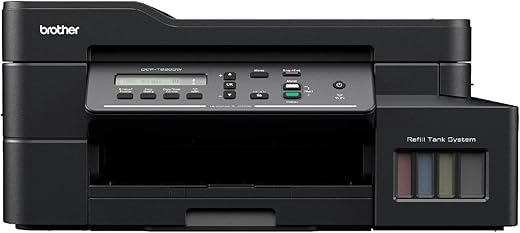
Epson EcoTank L3252 Wi-Fi All-in-One Ink Tank Printer (Black)
₹13,699.00
- All-in-One Printer (Print, Scan, Copy)
- Economical and Eco-Friendly Heat Free technology.
- Low cost per page
- Space-saving Design, Spill-free Refilling
- Smart Wi-Fi and App enabled for easy and user-friendly usage.
,
Specification: Epson EcoTank L3252 Wi-Fi All-in-One Ink Tank Printer (Black)
|
8 reviews for Epson EcoTank L3252 Wi-Fi All-in-One Ink Tank Printer (Black)
Show all
Most Helpful
Highest Rating
Lowest Rating
Add a review
Related Products




Epson EcoTank L3252 Wi-Fi All-in-One Ink Tank Printer (Black)
₹13,699.00

Vyshakh –
Color print quality is average
Quality is good
AmazonCustomer –
I have purchased this product.after using 12 days I am sharing my review
1. Product is good for home use and good printer for this range.
Overview product is good you can use the photos copy and color photos looks good.
Negative
Don’t buy the installation process adhon.the installation process taken very long time.you need to follow up all.which is not good.
Overall this product is good I have print all details.
Important before using this printer we should know the photos quality steps so benefits for us for better photos print.
All features all looks good 👍
CS –
Avoid this printer at all cost.
1. It is extremely difficult to install the printer as the manual in the box is incomplete with no basic instructions on how to install the printer. I had to watch many YouTube videos to figure out. Please note you need to do the ink setup first before anything else, as you wouldn’t be able to connect the printer to computer by USB or wifi.
2. Horrible Support: Tried reaching support on EPSON toll-free number multiple times so I can get help in installation, here’s what happened: Most of the times the call the no unanswered or the line is busy, sometime when the call is connected to executive, they would just stop responding abruptly as if a connection is lost. A small brick & motor store these days has better support.
3. Although I bought L3252 model, the drivers, the mobile app and everywhere else the printer is shown and detected as L3250 model.
4. The box says it supports borderless printing, but I didn’t see an option to print borderless photos either on mobile app or through computer.
5. The print quality of B&W is just decent. I found the print quality of color to be poor, there’s a huge difference in the image and the image’s colour print through this printer.
6. Build quality is not good.
Overall I would highly recommended to STAY AWAY from this or for that matter any EPSON printers.
Online purchaser –
I purchased this printer for its affordability and wifi printing ability. The installation was easy but takes around 15 mins for calibration. Once done, it’s easy to print and scan through wifi and email.
I would recommend this printer to anyone who have basic printing requirement at home or a small office.
Atul Pathria –
The product doesn’t have native plug-and-play drivers for Silicon Macs. However, I found that the Intel drivers available on their website worked on my Mac Silicon. I’m sharing this in case it helps other users.
Wi-Fi printing works well from both iPhone and Android devices. I’m still working on setting up Wi-Fi printing from my Mac, which I know is possible but haven’t figured out yet. I’ll update this review with steps if I manage to get it working.
Pros:
– Intel drivers work on Mac Silicon
– Smooth Wi-Fi printing from mobile devices
Cons:
– No native Mac Silicon drivers
– Mac Wi-Fi printing setup is challenging
I hope this information is helpful for other potential buyers.
Ryzen –
Functioning is ok but material quality is so bad…
Halki quality ka material use kiya gaya hai printer me…
This is easily breakable…
Praveen M. –
Nice and easy to use printer. Best color Inkjet printer option for small bussiness.
Ryzen –
Need a printer? Just go for this one. It’s the best one you can find within a 15k price range. I got it for 12,799 and it was the best. The print quality is awesome. You can get studio quality photo prints if you use glossy photo paper (you can find it online/offline). And printing cost is also very low than I expected. I’ve printed more than 30 high quality photos on glossy paper at the max setting, and a total of 159 color prints and 300 b/w prints (All are in high quality). My ink level is still above 95%