

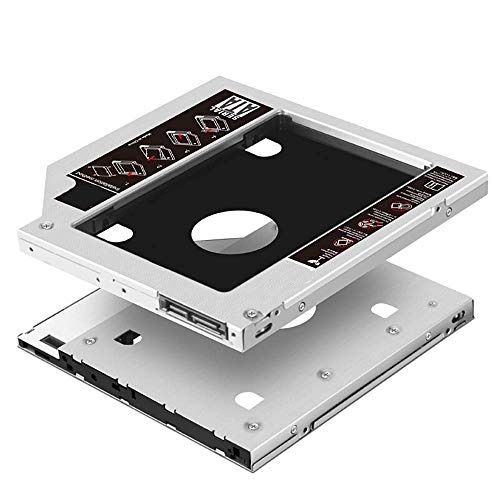
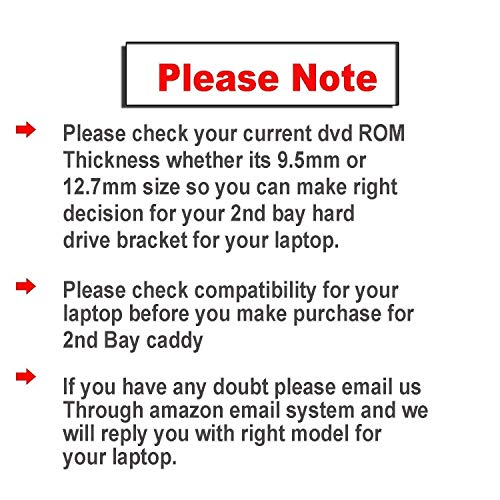
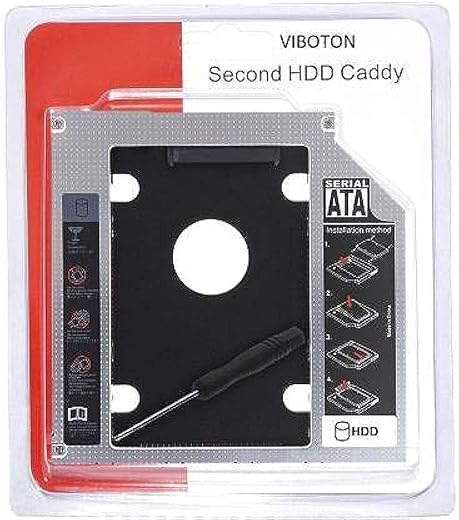
Pruthvik Upgraded Version SATA Optical UltraBay 2nd Hard Drive Caddy with SSD or HDD for 9.5 mm Universal CD/DVD Slot
₹160.00
- Compatible 4 Channels switch help to improve the compatibility.You can try to move ” A””B””C””D” if your Laptop can not read HDD.
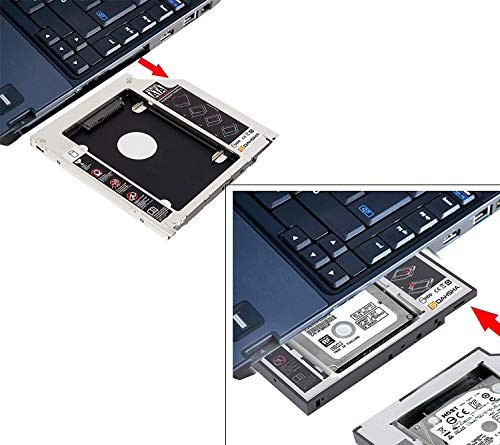
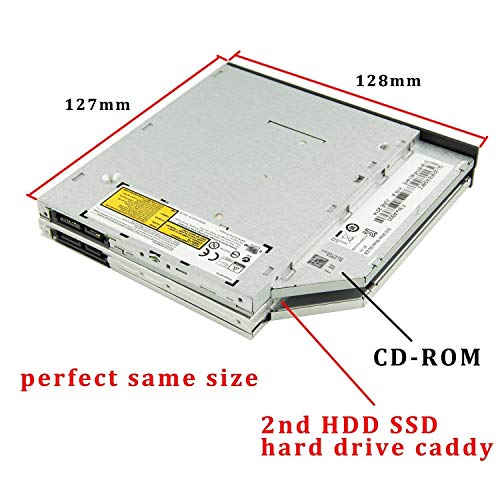
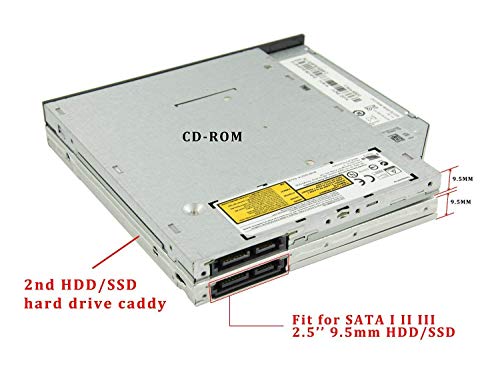
- Compatible with: 2.5″/9.5mm SATA HDD or SSD, Hard drive NOT include.100% Brand New 9.5 mm-thick caddy
- Fully integrated into laptop, no cables/PSU/software driver need.Fast & Reliable connection in laptop, just as the primary HDD Make NTFS hard drive if you are using it as a New in Disk management
- Package Content: 1x 2nd HDD Caddy, 4x Hard Drive Screws and 1pcs screw driver
- Supports 99% Laptops with 9.5mm size DVD Writers. Please email or call us if you have query regarding to compatibility with your Laptop
,
Specification: Pruthvik Upgraded Version SATA Optical UltraBay 2nd Hard Drive Caddy with SSD or HDD for 9.5 mm Universal CD/DVD Slot
|
8 reviews for Pruthvik Upgraded Version SATA Optical UltraBay 2nd Hard Drive Caddy with SSD or HDD for 9.5 mm Universal CD/DVD Slot
Show all
Most Helpful
Highest Rating
Lowest Rating
Add a review
Related Products


Pruthvik Upgraded Version SATA Optical UltraBay 2nd Hard Drive Caddy with SSD or HDD for 9.5 mm Universal CD/DVD Slot
₹160.00

Prince –
I have ordered a couple of caddys before this, but this product is much better than all. It fits into my laptop with much ease and the quality is also above expected of it. I am using Crucial ssd, and the results after using this is the speed of my laptop has gone to a higher level. You can fit any 2.5 SSD t hard disk into it. Overall good quality.
Anand Sharma –
does not fit
Ajit B. –
Easy to install. I have bought this product & installed it myself into my dell 3568 series laptop. First time, after installation the drive didn’t show at the ‘This PC’ section. After that, I turn the compatibility switch into opposite direction, then it woked. There is a compatibility switch which makes it universal for any laptop.
Adesh Golash –
I had purchased this product for Rs 329, and I can very well say that the product is an absolute bang for your buck. I could easily install my old hdd using this caddy into my cd drive area using the screwdriver and screws which came along with the item. And as soon as I inserted it, voila! everything showed up instantly and I didn’t had to go through any setting.
Whats more is that you get a 2 year warranty as a cherry on the cake.
Though I would like to point out that there are only 2 channels A &B, instead of 4. Regardless, I was able to detect my storage device out of the box.
Lastly I would advice everyone to not use this enclosure for ssds as you won’t get the best speeds as CD bays tend to be SATA II instead of III which has slower speeds. HDD for this is the way to go.
I would absolutely recommend it.
Aashutosh Soni –
Got the caddy today. Was disappointed that my hdd was not recognized on my Z510. The slider switch was missing in the slit and is not per the pictures.
Adesh Golash –
Satisfactory product.
Aashutosh Soni –
Works like charm, a little hard to fit dont know why, as it is having generic size but had to struggle fitting, was afraid not to break the laptop body 😂
But yes, works best – as expected. Transmission speed is also the same what you get while connecting the drive directly to the laptop.
Harry –
Installed in my HP Laptop. Works like charm.
PS: After installing caddy If you notice high cpu usage (around 10-20%) of process named “system/system intrupt” in task manager for more than 10 minutes after booting into windows then turn off your computer remove the caddy and change the switch postlition to any other position and boot the computer again. The problem will be resolved. The switch is present on the left edge facing outside.