


Verilux® AC1200 PCIe WiFi Card – AC1200 Wi-Fi Bluetooth 4.2 PCI Express Adapter with Two Antennas, PCIe Network 2-in-1 Interface Card, Dual Band…
₹99,900.00
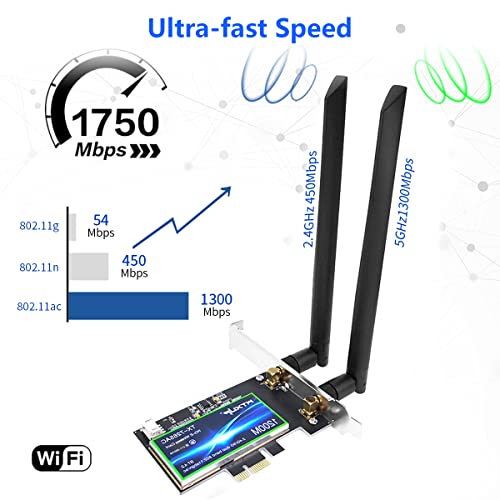
- STRENGTHEN SIGINAL & WIDER RANGE:Dual High Gain WiFi Antennas,supports both 2.4G/300Mbps;5G/867Mbps. PCI-E network adapter with dual 8dBi high gain antennas greatly enhances the received and transmitted signal strength. The 180° rotatable antenna provides stronger wireless transmission and receives signals from any angle.
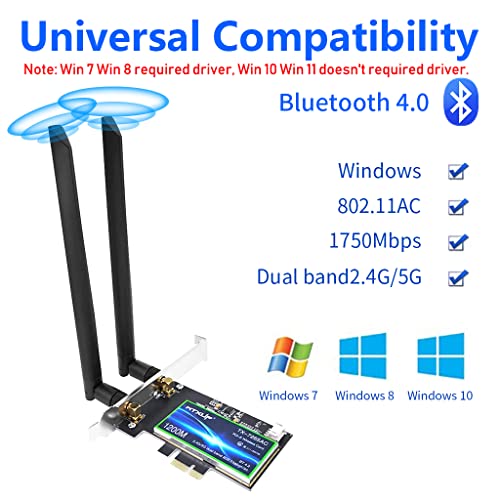
- UPGRADE YOUR DESKTOP PC: With this adapter on desktop PC, you don’t need to arrange network cable on your desktop, once the adapter successfully pair with the router, your desktop pc will can freely access to the internet. Note: Win 7 Win 8 required driver, Win 10 Win 11 doesn’t required driver. If the item required driver, please go to a web page: https://www. intel. in/content/www/in/en/search. html? ws=tex…_10385_en=[Wireless]
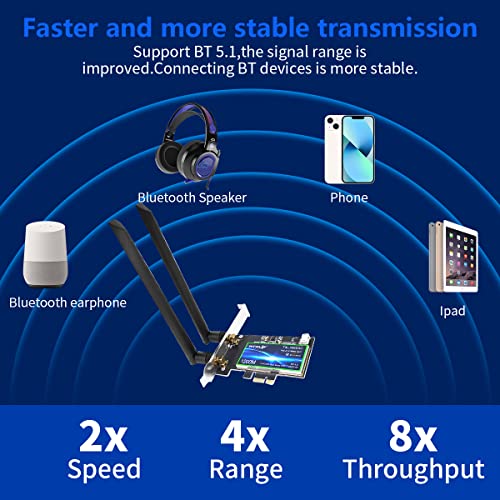
- BLUETOOTH 4.2:PCIE wifi card with Bluetooth 4.2 provides faster transmissions thereby reducing the overall power. The powerful energy and continuous workflow can be an ideal home choice with BT TWS earplugs, earphones, keyboards, mice, etc., which can bring more convenience and demands for your desktop PC.
- UNIVERSAL COMPATIBILITY: Compatible with Win 7/8/10/11?Linus(intercore requires 4.2 and above)
- EASY TO INSTALL :Compatible with all PCIe standard. Standard and Low-Profile Brackets to adapt to your different computer sizes.
,
Specification: Verilux® AC1200 PCIe WiFi Card – AC1200 Wi-Fi Bluetooth 4.2 PCI Express Adapter with Two Antennas, PCIe Network 2-in-1 Interface Card, Dual Band…
|
8 reviews for Verilux® AC1200 PCIe WiFi Card – AC1200 Wi-Fi Bluetooth 4.2 PCI Express Adapter with Two Antennas, PCIe Network 2-in-1 Interface Card, Dual Band…
Show all
Most Helpful
Highest Rating
Lowest Rating
Add a review
Related Products


Verilux® AC1200 PCIe WiFi Card – AC1200 Wi-Fi Bluetooth 4.2 PCI Express Adapter with Two Antennas, PCIe Network 2-in-1 Interface Card, Dual Band…
₹99,900.00

Zaid Abbasi –
U only need to install some kext in your hackintosh in and entering on config .plist and ist done
Aiman –
Works like a charm.
For blue-tooth, insert the cable to a USB header in the motherboard. 5Ghz works great as well. VFM product
Hi tech systems –
wifi works fine but the blue tooth is not working because of connector support is not there in my think center m70
c a singkai –
Wifi n bluetooth is working fine.
SPEED:
Tried wi-fi from mobile hotspot n got download speed of about 600kbps, which is what the maximum speed that my network gives during daytime.
B informed that it takes about 33 seconds to transfer 2.7MB of data via bluetooth.
INSTALLATION:
Was a headache. Kept on doing trial n errors, troubleshooting, plugin, plugout n what not. Lastly, searched for its driver. Got it at intel website.
The point is- product description says no need of drivers download for Windows11. But, intel already has bluetooth driver ready to download for windows 10/11.
The extra cable provided is to connect to a USB header on the motherboard.
GENUINITY:
Product came in a generic plastic packet bearing no any branding. So, its genuineness is to b doubted. Time will tell its durability n longevity.
NO USER MANUAL, NO WARRANTY. CHALE TO CHAND TAK, NAHI TOH SHAAM TAK.
Tanmoy B. –
I ordered this and got it delivered in 3 days (thanks amazon). I tried running it, no luck. The connection kept dropping even though I am just 6 ft away from my router. The bluetooth also keeps crashing. I don’t know how this product ever made to production stage with such bad performance.
Please stay away from this. opted for a replacement and it still have the same issue.
better go with TP link, it rarely has any disconnections.
vivek Rakholiya –
I bought this product but Bluetooth not working, and I also mail to customer care they don’t respond yet. please don’t buy this product for Bluetooth.
Vibhava –
Product image says Bluetooth 4.0 but it’s actually Bluetooth 4.2. WiFi works fine too. It doesn’t take power from pcie itself. You will need to connect the device to a internal Motherboard USB Header. It’s not an issue, but just FYI.
Amitabh Shukla –
I bought it with a few reviews so I was a bit skeptical.
The wifi card is 5GHZ compatible and yes for Bluetooth operation you need power from the motherboard. If all your USB sockets are busy, buy a splitter. I had unused ports so I didn’t need it.
No driver installation is needed. Mount and go.
I have mic support now via Bluetooth speakers and headphones.
Doesn’t come with a screw to fit the sliding tray. Rest is good to go.